
If you plan to edit your black and white photographs in Lightroom, Capture One or Photoshop, shoot RAW. If you want a finished monochrome file straight out of the camera and never plan to touch it, JPEG is the sensible choice. Most working photographers shoot both at the same time and use the JPEG for culling.
That is the short version of the “should you shoot raw or jpeg for black and white” question, and it hides a real technical difference that matters far more in monochrome than it does in colour. A monochrome JPEG keeps one channel of brightness data, roughly 256 shades of grey. A RAW file keeps three colour channels that you combine yourself, which means you decide how each colour maps to a tone.
The rest of this guide breaks down what each format actually records, when JPEG genuinely wins, and how to set up your camera so the monochrome viewfinder and the files on your card agree with each other.
Table of Contents
- Should You Shoot Raw or JPEG for Black and White at a Glance
- What Is the Difference Between RAW and JPEG for Black-and-White Photography?
- How Does RAW Help With Black-and-White Editing?
- Should You Shoot Raw or JPEG for Black and White When You Want Less Editing?
- What Should You Consider Before Choosing a Format?
- Which Format Is Better for Different Types of Black-and-White Photography?
- How Do You Convert RAW or JPEG to Black and White?
- Which Should You Choose?
- Frequently Asked Questions
- Do professional photographers shoot RAW or JPEG?
- Do JPEGs look better than RAW?
- Should I shoot in RAW or JPEG or both?
- Why are my RAW files in colour when I shot in black and white?
- What are the best camera settings for shooting black and white photos?
- Should I import photos as RAW or as JPEG for a black and white edit?
- Conclusion
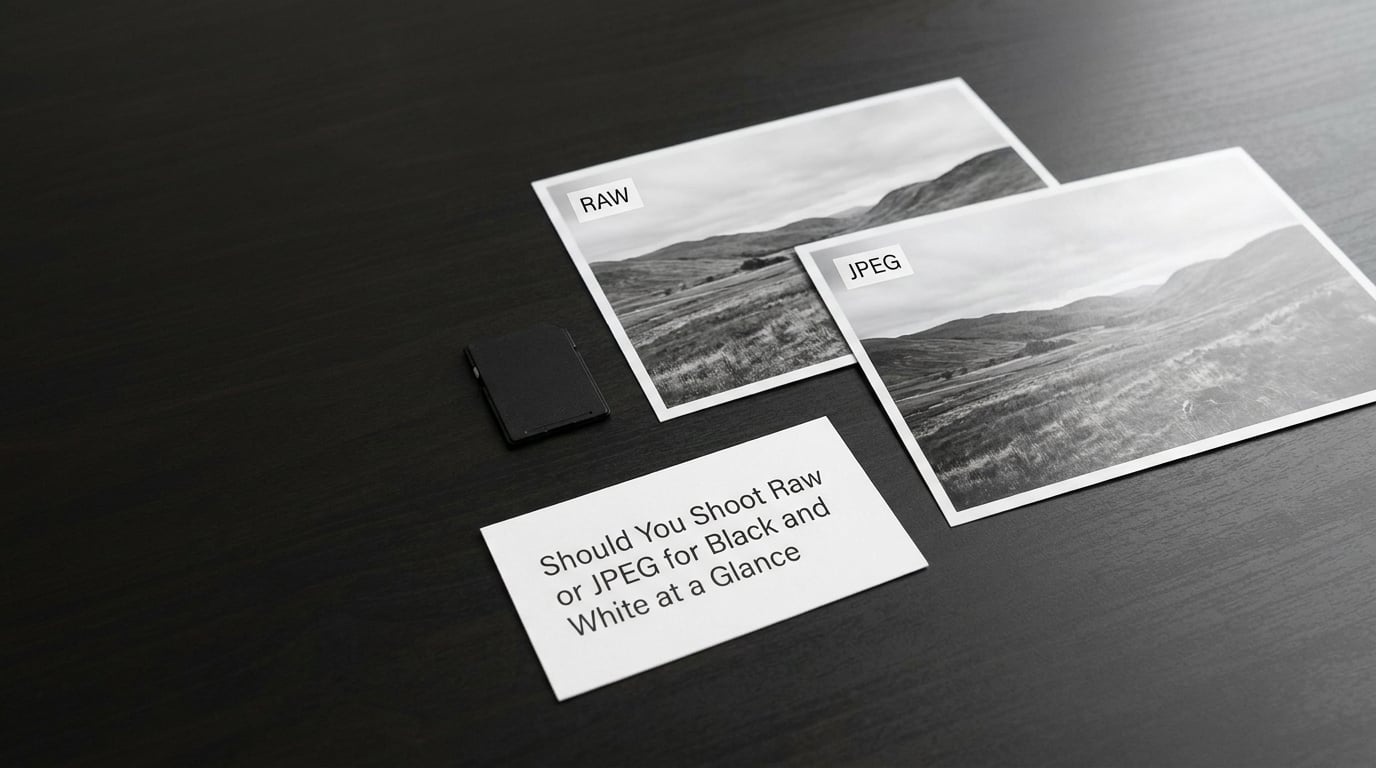
Should You Shoot Raw or JPEG for Black and White at a Glance
| Factor | RAW | JPEG (monochrome) |
|---|---|---|
| Channels recorded | Three (RGB) | One (luminance) |
| Shades of grey available | Thousands, rebuilt from colour data | Up to 256 per pixel |
| Typical bit depth | 12-bit or 14-bit | 8-bit |
| Colour under the surface | Yes, always | No, discarded at capture |
| White balance | Set in software | Baked in at capture |
| Highlight and shadow recovery | Strong | Very limited |
| Filter effects | Simulated and adjustable later | Baked into the file |
| Typical file size | Large | Small |
| Camera buffer | Fills quickly | Long bursts |
| Time to a finished file | Minutes of processing | None |
| Best suited to | Editing, prints, fine art, tricky light | Delivery, high volume, speed |
One row in that table causes more confusion than all the others. RAW files are colour files even when you shoot Monochrome, because the camera only changes the preview it shows you and the JPEG embedded inside the file.
What Is the Difference Between RAW and JPEG for Black-and-White Photography?
A RAW file is close to what the sensor measured: brightness readings stored for each colour channel, plus the camera settings needed to render them. Nothing is finished. White balance, contrast, colour and sharpening are all applied later, on your computer.
A JPEG is a finished, compressed picture. Your camera has already made every decision about colour, contrast, sharpening and noise reduction, then thrown away most of the original data to shrink the file.
So both formats can produce an excellent monochrome photograph. They simply start from different places. One starts with raw measurements you shape yourself, and the other starts with the camera’s interpretation that you accept or reject.
Why a RAW file stays in colour when you shoot monochrome
Set your camera to Monochrome and the viewfinder goes black and white, the histogram collapses to a single row of tones, and the JPEG saved alongside the RAW is monochrome too. Open that RAW file in a converter and it renders in full colour. Nothing is broken. The RAW data was always colour, and only the embedded preview was converted.
This trips up almost everybody once. On the r/photography and r/AskPhotography threads about this exact question it is the single most repeated confusion, described again and again as the “heart attack” moment on import.
One camera breaks the pattern. The Leica M-Monochrom has no colour filter array, so there is no colour to begin with and its RAW files are genuinely monochrome. Every other camera on the market uses a Bayer sensor that filters light into red, green and blue before anything else happens.
How Does RAW Help With Black-and-White Editing?
The strongest argument for RAW in monochrome is about how much data survives the conversion. A monochrome JPEG compresses everything down to a single brightness channel per pixel. A RAW file still holds three channels, which means you decide how much each one contributes to the final tone.
That choice is what a channel mixer or a black and white adjustment panel gives you. Lift the red channel on a portrait and skin brightens against clothing. Drop the blue channel on a wide exterior and skies darken and gradients separate. With a JPEG that decision was already made for you and cannot be revisited.
Bit depth comes next. A monochrome JPEG is 8-bit, so it has 256 possible values per pixel. Modern RAW files are commonly 12-bit or 14-bit, which gives 4096 or 16384 values before processing. When you pull midtones apart in software, that extra headroom is the difference between a smooth ramp and visible banding in skies and skin.
A concrete case: a backlit portrait with a bright window behind the subject. Shoot JPEG and the window is white, the face is dark, and both are fixed. Shoot RAW and you can pull the highlights down a couple of stops to bring back the window detail, then open the shadows on the face, and neither area turns to mush.
Two more benefits that matter specifically for monochrome. First, white balance becomes free, because it is applied after capture rather than baked in. Second, you can convert to black and white long after the colour has faded from relevance, which matters for archives and for scans.
Should You Shoot Raw or JPEG for Black and White When You Want Less Editing?
JPEG-only is the right call in a few honest situations, and defending RAW on principle in all of them has cost some photographers years of confidence they did not need to lose.
Camera JPEG processing is genuinely good. Modern picture styles apply noise reduction, sharpening and tone curves tuned by the manufacturer, and the result often looks better straight out of the card than a default RAW conversion. Several users testing both formats report preferring the JPEG most of the time for exactly that reason.
High-volume work is the other clear case. At a wedding, a school sports day or a street market the buffer fills fast, and every frame you skip is a frame you never see. JPEGs are small enough to write through the burst and small enough to cull in a fraction of the time.
Delivery is the third. If a client needs files they can open on any device, or you are posting straight to a gallery or a phone, a JPEG is finished. Sending a NEF or CR2 to someone who does not know what it is creates work for no gain.
Some photographers also deliberately shoot JPEG monochrome for years as a training tool. With no safety net, you learn to read light, notice shadows and expose for the tones you want instead of relying on the file to rescue a mistake later.
What Should You Consider Before Choosing a Format?
Your storage and buffer decide how much choice you actually have. RAW files from a single outing can fill a card and take a long time to back up, and the temptation is to process only one in ten. If that describes your setup, JPEG is not laziness, it is a fit.
Your viewfinder changes the calculation in a subtle way. An optical viewfinder shows no metered preview, so a monochrome setting changes nothing about how you shoot, only how the file looks afterwards. An electronic viewfinder shows the tone curve live, which makes in-camera monochrome a genuine compositional tool. On mirrorless bodies, shoot Monochrome for the seeing even when you shoot RAW.
Your computer workflow decides the rest. If you have no intention of opening an editor, RAW just means a folder of files you cannot do anything with. If you edit daily, JPEG costs you nothing in time and takes away your options.
Print plans matter for the technical half of the decision. A monochrome JPEG is fine for a small print and fine for screen delivery. For a large print where you will be dodging and burning across a wide tonal range, the extra data in a RAW file earns its keep.
Which Format Is Better for Different Types of Black-and-White Photography?
Fine art and high contrast work is a RAW case without much argument. You are printing large, you are printing often, and the tonal separation between adjacent zones is the whole picture.
Street and travel sits in the middle and depends on your rhythm. If you shoot in short bursts and keep moving, JPEG keeps you shooting. If you work slowly and revisit frames later, RAW.
Events and documentary are the strongest JPEG or dual-capture arguments, because volume and delivery both favour small finished files. Portraiture goes the other way, since skin tones and hair against a bright background are exactly the situations where recovery matters.
Beginners are well served by JPEG alone for the learning reason above. Print collectors and anyone restoring archives want RAW. Delivering to clients or online needs JPEG, or RAW plus JPEG so you keep the edit file and send the openable one.
Should You Shoot Raw or JPEG for Black and White?
Use one rule. RAW if you will edit. JPEG if you will not. Shoot both if you shoot in volume and want fast culling with the option to edit later. Everything else on this topic is a variation on those three answers.
How Do You Convert RAW or JPEG to Black and White?
Whichever format you start from, the sequence is the same, and the discipline matters more than the software.
Start calibrated. A neutral profile on a calibrated screen means the greys you see are the greys in the file. Without that, every judgement downstream is guesswork.
Fix exposure and white balance before converting. Dragging the exposure slider after a black and white conversion is harder to read than doing it on the colour original, where the histogram still has shape.
Convert with a channel mixer or a black and white panel rather than the one-click desaturation button. Desaturation simply averages the three channels, which flattens exactly the separation a RAW file gave you the option to control.
Refine tones with the tone curve. Ease the black point until nothing clips to pure black, and watch the far right of the histogram so window highlights stay off the wall. Then check the histogram again at print size, because problems that look small on a laptop often show up on paper.
Export at the size the file needs to be. A large print justifies a full resolution export, and a screen delivery does not. Exporting a 40-megapixel RAW to a 2000-pixel JPEG takes time you get back every shoot.
If you shoot RAW with a monochrome picture control active, set your converter’s raw defaults to camera settings so the look you composed with carries through on import. Otherwise the picture control quietly disappears the moment the file opens.
Which Should You Choose?
Choose RAW when you edit, when the light is difficult, when prints are part of the plan, and when you want the option to return to colour later. Choose monochrome JPEG when speed, buffer depth and delivery matter more than flexibility.
Choose both for anything you shoot in numbers. The JPEG becomes the culling copy and the delivery copy, and the RAW becomes the edit copy for the frames worth the time. It doubles the files on the card and it roughly halves the decisions.
Before you settle on a permanent setup, run a two-minute test on a scene you know well. Shoot it three ways: RAW, JPEG, and RAW plus JPEG. Back home, convert the RAW to monochrome yourself and put the three results side by side. Look at the brightest highlight, the deepest shadow, the noise at high ISO and the time from import to a file you would actually deliver. That comparison settles the debate faster than any argument online.
Frequently Asked Questions
Do professional photographers shoot RAW or JPEG?
Most professionals shoot RAW, and many shoot RAW plus JPEG at the same time. The RAW file is the master they edit and print from, while the JPEG is used for fast culling and for delivering files to clients who cannot open a proprietary RAW. Dedicated black and white fine art shooters are the strongest RAW advocates, because tonal separation is the subject itself.
Do JPEGs look better than RAW?
Sometimes, and it is worth saying out loud. A camera applies its own tone curves, sharpening and noise reduction to a JPEG, so the file can look more finished on day one than a default RAW conversion. Where RAW wins is recovery. A monochrome JPEG discards two of three colour channels and bakes in white balance and contrast, so anything the camera clipped stays clipped.
Should I shoot in RAW or JPEG or both?
Shoot both if you work in volume. Use the monochrome JPEG to cull quickly and to deliver, and keep the RAW for the handful of frames you will actually edit. If you shoot rarely or never edit, JPEG alone is plenty. If you print large or shoot difficult light, skip the JPEG and put the card space into more RAW files.
Why are my RAW files in colour when I shot in black and white?
Because your camera saved colour data. A monochrome picture control changes the viewfinder and the JPEG preview embedded in the RAW file, not the RAW data itself, which is why your converter renders it in colour. The genuine exception is the Leica M-Monochrom, whose sensor has no colour filter array, so its RAW files are monochrome by nature.
What are the best camera settings for shooting black and white photos?
On Nikon, go to Shooting Menu, Set Picture Control, then Monochrome and pick a filter effect such as red for contrast or yellow for a gentler look. Canon users set Picture Style to Monochrome, and Sony users do the same through Picture Profile. Fujifilm bodies offer Acros and Monochrome film simulations. Keep RAW selected so you keep the colour data underneath.
Should I import photos as RAW or as JPEG for a black and white edit?
Import as RAW. The embedded JPEG inside each RAW file is the camera’s monochrome preview, which is useful for culling but is compressed and already tone-mapped, so it cannot be pushed further without artefacts. If your culling tool can show that embedded preview, use it to pick frames, then work on the RAW data for the ones you keep.
Conclusion
For black and white photography the format question is really a data retention question. A monochrome JPEG keeps one brightness channel and hands you the camera’s decisions. A RAW file keeps three channels and lets you make the conversion yourself, which is why it wins whenever you will edit, print large or shoot difficult light. JPEG wins on speed, buffer depth and delivery, and for high-volume shooters RAW plus JPEG is the answer that keeps both.
Do one thing first: shoot a scene you know in all three modes, convert the RAW yourself, and compare recovered highlights, shadow detail, noise and the time it took to get there. Ten minutes of that will settle the question for your workflow far better than any amount of reading.